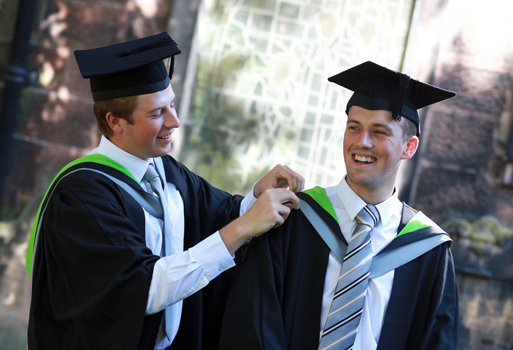
The official photographers on the day will be Ede & Ravenscroft and their studios will be set up in the Crown & Mitre Hotel for individual and family/group photographs.
Booking your photographs
We recommend that you book your photographs no later than 10 days prior to your ceremony. You can make a booking on the Ede & Ravenscroft website.
Information about the different photograph packs available is available on the Ede & Ravenscroft website when placing your order online.
Ede & Ravenscroft also supply your gowns, so you can book your photographs at the same time as ordering your gown. If you choose to book your photographs later, you can log-in to add your photography order from their website.
Photography location
The photography studios are in the . If you have pre-booked your photos you should you should make your way to the Edwardian Room, 1st floor, Crown & Mitre Hotel.
If you are booking photographs on the day you should make your way to the sales desk and photographic studios situated in the Supper Room (accessible by a staircase only *).
Important: All family shots (both pre-paid and bookings on the day) will be taken in the Supper Room.
 Unless you are having a family photograph, it would be helpful if only graduands accessed the photographic studios. This will avoid congestion and speed up the service for you on the day.
* The Supper Room is located on the lower ground floor and is accessible only by stairs. If this causes you any difficulties please go directly to the Edwardian Room.
Photography inside the Cathedral
Please respect the policy of the Cathedral and refrain from taking flash photography, videos and recordings inside the Cathedral.
We have been granted special permission for our official photographers to be present in the Cathedral. They will take award presentation photographs of each graduand as you shake hands with the Presiding Officer. These photographs will be available for purchase a few weeks following your ceremony date at http://www.edeandravenscroft.com/:
- Select Graduation Services
- Select View Your Group or Stage Photo
- Search University of Cumbria under Find Your Institution
- Select your date and time of ceremony
- Enter password (emailed to you by Ede & Ravenscroft)