
If you need a reference, please contact programmeadmin@cumbria.ac.uk. Please include your student number and course details so the team can respond efficiently. References are tailored depending on your course and how long ago you studied.
Connect With Careers
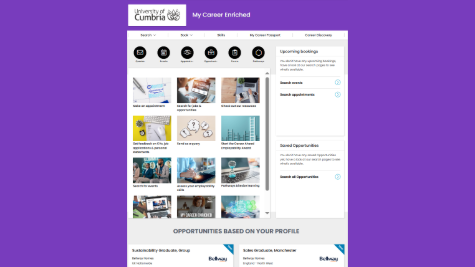
My Career Enriched - Your Careers Hub
Here you can access a range of services available to you.
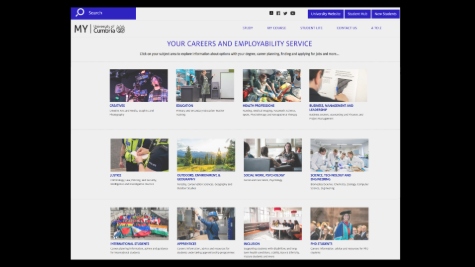
Access subject specific careers advice, including self-employment and enterprise resources, and postgraduate study information.
-
How do I get a reference for a job?
-
Careers support access in the first 3 years after graduation
For the first 3 years after you graduate from a University of Cumbria taught degree or apprenticeship you have full access to your Careers service. Just like when you were a student, this includes:
- 1:1 career advice appointments
- Mock interviews
- CV, application, and cover letters reviews and feedback
- Pathways- online skills development courses
- Resource web pages with subject specific information and advice, as well as resources for starting a business or going freelance
- Jobs and opportunity list that is regularly updated with part-time, graduate, and volunteering opportunities - you can sign up for a weekly email to alert you about jobs you may be interested in based on your preference choices.
- Support identifying and applying for post-graduate study opportunities
You can access most of these services through your careers hub- My Career Enriched. You should keep using your student account until you get an email asking you to convert to a graduate account close to graduation. This email should come to your personal email address. Please make sure to update your personal email address in ICON before you graduate (you can find the link to do this via the Student Hub). If, after graduation, you discover you do not have an account, you can register as a graduate user.
If you have any difficulty accessing My Career Enriched please contact careers@cumbria.ac.uk
There is a link to My Career Enriched at the top of this page. You will also find a link to our resource web pages at the top of this page.
-
Careers support access for life
You will have lifetime access to:
- Our jobs and opportunities list on My Career Enriched that is regularly updated with part-time, graduate, and volunteering opportunities - you can sign up for a weekly email to alert you about jobs you may be interested in based on your preference choices.
- Our resource pages with subject specific information and advice, as well as resources for starting a business or going freelance
There is a link to My Career Enriched at the top of this page. You will also find a link to our resource web pages at the top of this page.
-
My Career Enriched MFA (multi-factor authentication)
GUIDE TO GRADUATE LOGIN TO MY CAREER ENRICHED
**This guide assumes that you have already registered as a graduate and created a password.**
The process for graduate login requires a Multi Factor Authentication (MFA) process whereby you will need to input an authentication code.
NOTE: If you need to download an authenticator app it’s easier to login on a laptop/PC and use your mobile for the authentication however it is possible to navigate between screens on a mobile and complete the whole process.
In order to generate a code you must have an authentication app on your mobile phone – see below.
LOGGING IN
Enter your email and password.
A screen will open to “Add a second layer of Security” asking you to set up Multi Factor Authentication (MFA) - Click on “Set up multi-factor authentication”
You’ll be asked if you have an app already on your mobile phone or you need to download an authentication app.
NEED TO DOWNLOAD AN AUTHENTICATION APP? Download an authenticator app, such as Google Authenticator, from the App store or Play store on your mobile (follow the steps below to set up the authenticator app).
CLICK “I have an app”
Enter the secret code key URIN7XZYH4C6QOYIBEY52NZT into your authenticator – your code name could be: My Career Enriched.
Your authenticator will now generate a six digit code and it changes every 30 seconds. This is the code you will need to enter when logging in to My Career Enriched.
BASIC PROCESS TO LOGIN:
Logging In:
- Select UoC Alumni (Graduate) sign-in.
- Enter email and password, then get a 6-digit code from your authenticator app.
- Return to the login page, enter the code, and click “Verify” to log in.